

















Table of Contents
- Key Points
- Understanding Offline Translator Devices
- Setting Up Your Offline Translator Device: A Step-by-Step Guide
- Weighing the Pros and Cons of Offline Translator Devices
- Exploring Core Features of Offline Translator Devices
- Diverse Use Cases for Offline Translator Devices
- Frequently Asked Questions (FAQ)
- Related Questions


Understanding Offline Translator Devices
What is an Offline Translator Device?
An offline translator device is a portable electronic tool designed to Translate languages in real-time without requiring an internet connection. Unlike smartphone apps that rely on data or Wi-Fi, these devices store translation data locally, ensuring accessibility in remote areas, during international travel, or in situations where internet access is unreliable. These devices are invaluable for anyone who needs Instant language translation, ranging from tourists and business travelers to students and individuals communicating with non-native speakers.
These devices typically support multiple translation methods, including speech-to-speech translation, text translation, and photo translation. They are engineered to be user-friendly, providing quick and accurate translations through intuitive interfaces. The convenience and reliability of offline translation devices make them a staple for seamless global communication.
Key benefits include:
- Immediate translation access
- No dependency on internet connectivity
- Enhanced data privacy and security
- Ease of use and portability
- Support for multiple languages and translation types
Key Components and Features of a Modern Translator
Offline translator devices come equipped with a variety of components and features designed to enhance the user experience and ensure accurate translations.
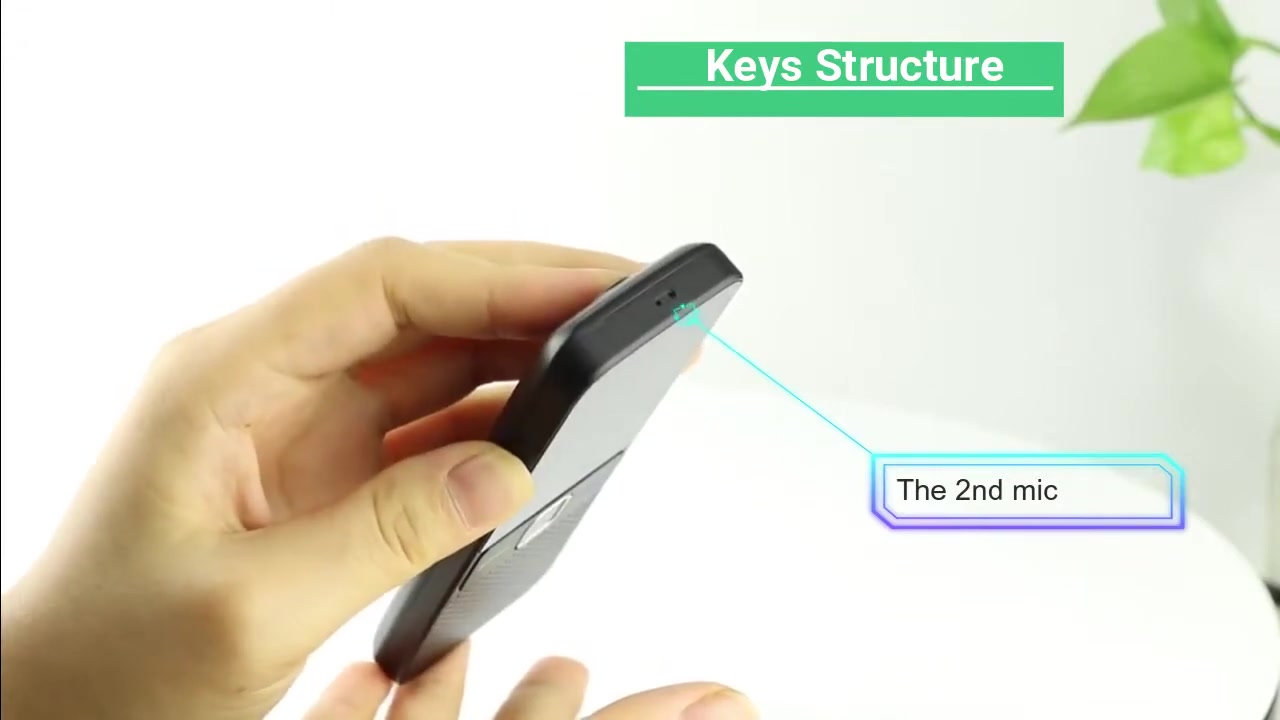
These features not only make communication easier but also broaden the range of situations in which these devices can be useful.
Core Components and Features:
- Display Screen: A clear and vibrant display screen for easy viewing of translated text and device settings.
- Microphones: High-sensitivity microphones for accurate Speech Recognition in various environments.
- Speakers: Integrated speakers to audibly Broadcast translated speech, ensuring clear communication.
- Translation Green Key: Activates the translation function for a designated language.
- Translation Blue Key: Activates the translation function for another designated language, enabling quick language switching.
- Photo Translation Key / Confirm Key: Captures images of text for translation or confirms selections within the device’s interface.
- Power Key: Controls the device’s power, allowing for quick on/off functionality.
- Camera: A built-in camera for capturing text images for photo translation, facilitating the translation of menus, signs, and documents.
- Volume Keys: Adjust the speaker volume for clear audio output in different environments.
- 1st Mic: Primary microphone for capturing the user's speech.
- Type-C Charging Interface: Allows for convenient charging using standard Type-C cables.
- 2nd Mic: Secondary microphone, often used for Noise Cancellation and improving speech recognition accuracy.
The ergonomic design and comprehensive feature set of modern offline translator devices ensure they are practical and effective tools for anyone needing real-time language translation.
Setting Up Your Offline Translator Device: A Step-by-Step Guide
Step 1: Configuring System Language
The first step in setting up your offline translator device is to configure the system language.
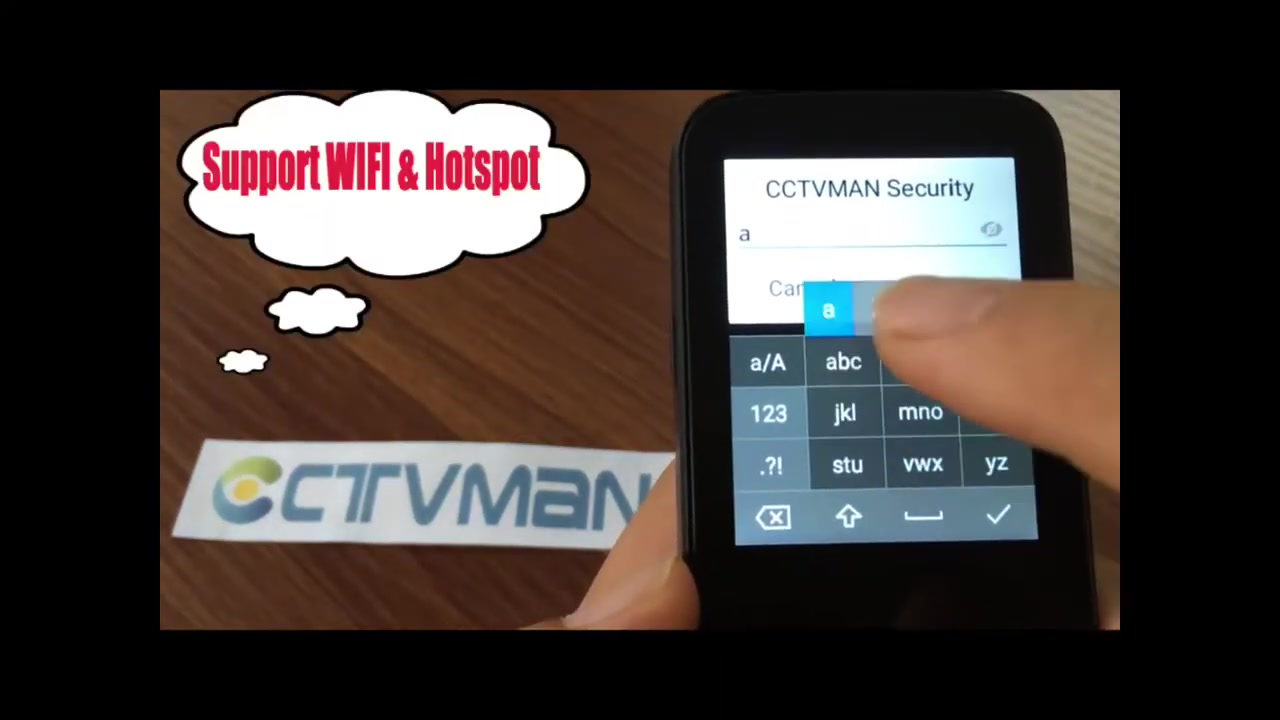
This ensures that the device's interface and prompts are displayed in a language you understand.
Here’s how:
- Access Settings: Navigate to the settings menu on your device.
- Select Language: Look for the language option in the settings menu. It might be labeled as “Language,” “System Language,” or similar.
- Choose Your Language: Select your preferred language from the list of available options.
- Confirm Selection: Confirm your selection. The device may restart to apply the changes.
Once the system language is configured, you can easily navigate the device’s menus and settings in your native language.
Step 2: Setting Up Network Connectivity
While offline translator devices are designed to function without an internet connection, connecting to a network is necessary for certain features like downloading language packages and receiving software updates.
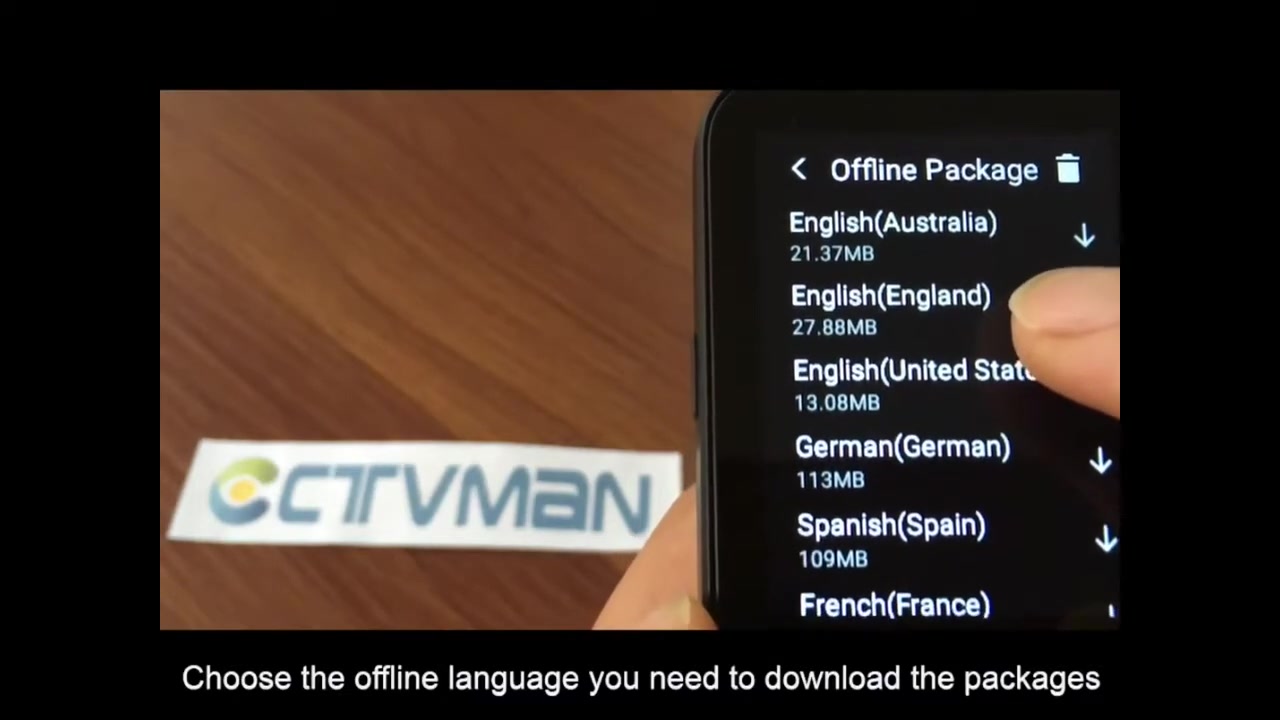
Follow these steps to set up network connectivity:
- Go to Settings: Access the settings menu on your device.
- Select Wi-Fi: Choose the Wi-Fi option. Ensure Wi-Fi is enabled.
- Choose a Network: Select your preferred Wi-Fi network from the list of available networks.
- Enter Password: Enter the password for the selected network, if required.
- Connect: Confirm the connection. The device should now be connected to the internet.
With a network connection, you can download language packages and update the device's software.
Step 3: Downloading Offline Language Packages
To use the offline translation capabilities of the device, you need to download the necessary language packages.
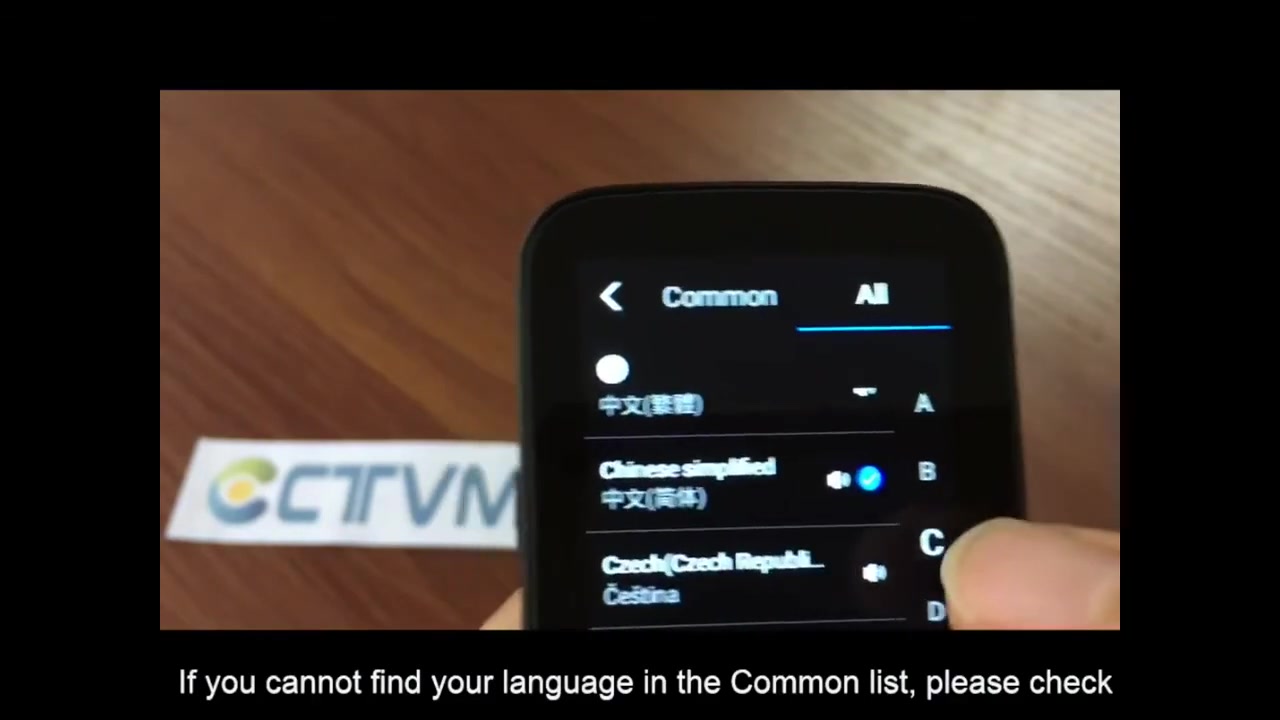
These packages contain the translation data required for offline functionality.
Here’s how to download language packages:
- Go to Settings: Access the settings menu on your device.
- Select Offline Package: Look for the option to download offline packages. It may be labeled as “Offline Translation,” “Language Packages,” or similar.
- Choose Languages: Select the languages you want to download. Ensure the device has enough storage space for the selected packages.
- Download Packages: Start the download process. The device will download and install the selected language packages.
Once the language packages are downloaded, you can use the translation features even without an internet connection.
Exploring Core Features of Offline Translator Devices
Speech Translation
The speech translation feature is at the heart of any offline translator device.
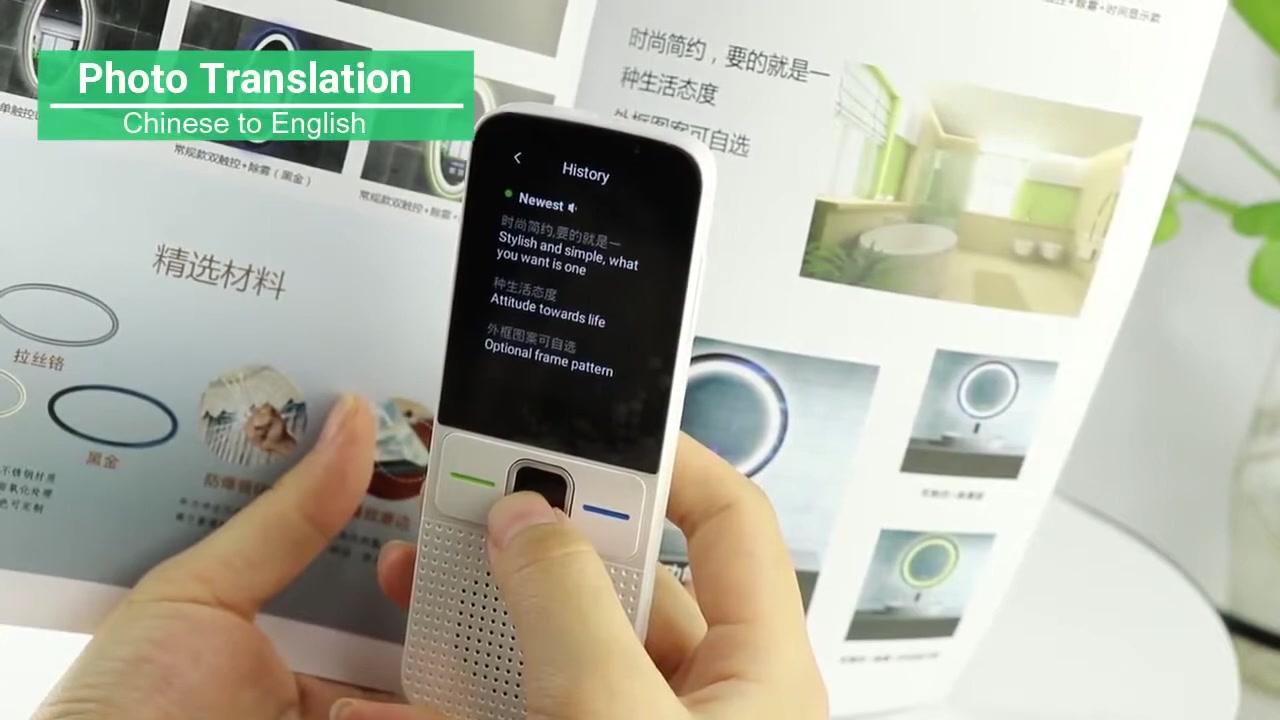
It allows users to speak into the device, which then translates their words into the target language in real-time. This is particularly useful for conversations and interactions where typing would be impractical.
Key aspects of speech translation:
- Accuracy: High accuracy in speech recognition and translation, ensuring the meaning is correctly conveyed.
- Speed: Fast translation speed to maintain a natural flow of conversation.
- Noise Cancellation: Advanced noise cancellation technology to filter out background noise and improve speech recognition accuracy.
- Multiple Languages: Support for a wide range of languages to cater to diverse communication needs.
- Real-Time Feedback: Immediate display of translated text on the screen for verification.
The speech translation feature transforms how individuals communicate across language barriers, making interactions seamless and efficient.
Photo Translation
Photo translation, also known as image translation, enables users to translate text from images captured by the device’s built-in camera. This feature is exceptionally useful for translating menus, signs, documents, and other printed materials.
Key elements of photo translation:
- Optical Character Recognition (OCR): Employs OCR technology to accurately extract text from images.
- Real-Time Translation: Provides instant translations of the extracted text.
- Support for Various Fonts and Styles: Ability to recognize and translate text in different fonts and styles.
- Offline Database: Utilizes an offline translation database to function without an internet connection.
- Easy-to-Use Interface: A simple interface for capturing images and viewing translations.
The photo translation feature extends the functionality of offline translator devices, making them invaluable for navigating foreign environments and understanding written content in different languages.
System Language Customization
Another crucial feature is the ability to customize the system language of the device.
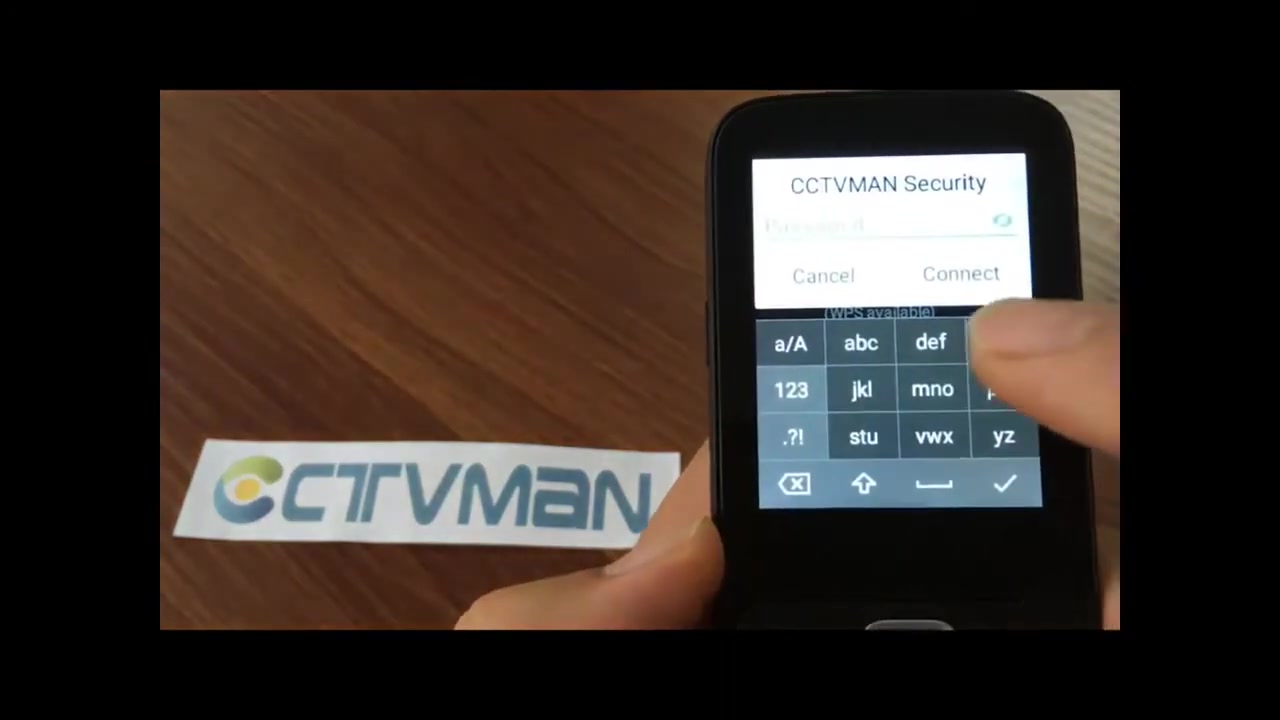
This allows users to operate the device in their native language, simplifying navigation and settings adjustments. Customization extends to voice prompts, menu options, and help resources.
Aspects of system language customization:
- Multiple Language Options: Availability of numerous system languages to accommodate a global user base.
- Intuitive Settings Menu: Easy access to language settings through a user-friendly menu.
- Voice Prompts: Option to set voice prompts in the preferred language.
- Help Resources: Integrated help guides and tutorials in multiple languages.
- Consistency: Ensures all aspects of the device’s interface are translated accurately and consistently.
By offering system language customization, offline translator devices ensure ease of use for individuals, regardless of their linguistic background.
Diverse Use Cases for Offline Translator Devices
International Travel
Offline translator devices are invaluable tools for international travelers. They enable seamless communication in foreign countries without the need for expensive roaming charges or unreliable Wi-Fi connections.

Whether you’re ordering food at a restaurant, asking for directions, or negotiating prices at a market, these devices ensure you can communicate effectively.
Benefits for travelers:
- Real-time translation of conversations
- Ability to translate menus and signs using photo translation
- Reliable communication in remote areas
- Cost savings by avoiding roaming charges
- Enhanced travel experience through improved communication
Travelers can confidently navigate new environments and interact with locals using these devices.
International Business
In the realm of international business, clear and effective communication is crucial. Offline translator devices facilitate interactions between business professionals from different linguistic backgrounds.

Whether you’re attending meetings, negotiating contracts, or building relationships with international clients, these devices help break down language barriers.
Benefits for business professionals:
- Seamless communication during international meetings
- Accurate translation of business documents and contracts
- Improved relationships with international clients
- Enhanced productivity through clear communication
- Professional and reliable translation services
These devices ensure that business professionals can communicate effectively, leading to successful international ventures.
Language Learning
Language learners can benefit significantly from offline translator devices.

These devices provide instant translations and pronunciation guides, helping learners expand their vocabulary and improve their comprehension. They also offer a convenient way to practice speaking and listening skills.
Benefits for language learners:
- Immediate translation of unfamiliar words and phrases
- Pronunciation guides to improve speaking skills
- Enhanced comprehension through real-time translation
- Convenient practice tool for language skills
- Increased confidence in language abilities
Language learners can use these devices to supplement their studies and enhance their overall language learning experience.










Most people like

























Report
Please select a reason for reporting
- 13 Reasons to Switch from Snapchat to Text Messaging
- 7 Powerful Speech to Text Apps to Boost Productivity
- 10 Best Speech to Text Tools for Effortless Transcription
- 13 Free Tools to Easily Transcribe Audio to Text
- 15 Surprising Ways Google's Speech-to-Text Boosts Productivity
- 7 Best Free Online Audio to Text Transcription Tools
- 9 Tips to Transcribe Speech to Text Faster and Better
- 13 Best Speech to Text Software for Windows 10 in 2023
- 7 Tips for Choosing the Best Transcriber for Audio to Text
- 11 Reasons Why Dragon Speech-to-Text Apps are Game-Changers
- 6 Secrets to Enhance Your Speech to Text Transcription
- 6 Brilliant Ways to Boost Productivity with Talk-to-Text on Your MacBook
- 6 Ways Transcription Software Converts Audio to Text
- 8 Tips to Transcribe Speech to Text Like a Pro
- 6 Reasons IBM Watson Speech to Text is a Game-Changer
- 14 Powerful Ways Talk-to-Text Improves Your Workflow
- 12 Top Windows Speech-to-Text Software for Efficient Transcription
- 12 Game-Changing Benefits of Apple's Speech to Text Technology
- 9 Powerful Use Cases for AWS Speech to Text Technology
- 10 Easy Steps to Transcribe YouTube Videos to Text
- transcription audio en texte
- online audio transcription
- free audio file transcription
- free ai audio transcription
- audio transcription service
- audio transcription online free
- audio transcription free online
- audio to transcription software
- audio and transcript
- ai audio transcription free
- voice recording to text converter
- translate voice recording to text
- record voice to text
- audio recording to text converter
- voice recording and transcription
- chatgpt voice to text
- gmail voice to text
- speech to text reader
- speech to text ai free
- speech to talk
- Create Engaging Animated Explainer Videos with a Free AI Tool
- Stop Multi-Subscribing: Benchmark Top AI Visual Models in One Canvas
- Best Seedance 2.5 API Provider: Every Price on the Market, Checked at Source
- AI OnlyFans: How to Generate $30,000/Month (Legally)
- Transform Your Script into an Engaging Video with AI Video Maker!
- AI Marketing Automation: A Comprehensive Guide for Small Businesses
- Midjourney Alternative for Anime Art Creators: Why PixAI May Be Better for Character Workflows
- 10 Things Most People Get Wrong About AI Image Search
- AI Girlfriend Apps: Top Choices Redefining Relationships 2025
- How to Reduce Quoting Errors in Salesforce with AI-Assisted Quote Creation
- AI Resume Builders: EnhanceCV, ResumeNerd AI, & Teal Compared
- ResumeAI: Crafting ATS-Optimized Resumes with AI
- AI in Resume Writing: A New Era for Job Seekers
- AI Resume Tools: Streamline Your Job Search and Land Your Dream Role
- AI Resume Optimization: The Right Way to Land Interviews
- Crafting a Killer Resume with AI: A Step-by-Step Guide
- Crafting a Winning Resume: AI Tools and Expert Tips
- AI Job Search: Level Up Your Career with AI Automation
- Empower Your Career Journey: Dynamic Resumes with AI
- AI Resume Builder: Create Professional Resumes Effortlessly

Copyright ©2026 toolify